 Google reviews
 Yelp reviews
 Facebook reviews
 Trustpilot reviews
 Tripadvisor reviews
 Glassdoor reviews
 Indeed company reviews
 Reddit posts
 Instagram posts
 TikTok videos
Automatically report new bad Google reviews for removal
The Review Auto-filer is review protection for your Google Business Profile. It reads your listings about every 6 to 7 hours and files every new review of 2 stars or below with Google. Google decides on each one, and you pay for the ones that come down.
- You see the price first
- No subscription
How the Auto-filer works, in four steps.
Review monitoring emails you about a new bad review and waits for your reply. The Auto-filer files it without waiting. In the TrustOS portal it is the Protect setting.
Connect your Google Business Profiles in the TrustOS portal. The Auto-filer covers every listing connected when you turn it on; your account manager can narrow it to some of them.
Choose 1 to 30 paid removals a month. The app shows your removal price and the most you can be charged in a month. You accept the terms, then turn it on. Your account manager can also turn it on for you.
The Auto-filer reads each covered listing about every 6 to 7 hours. We screenshot every new review of 2 stars or below from the last 14 days and file it with Google under Google’s own policy.
When Google takes a review down, a person on our team confirms it before we count it. We email you the review and its before-removal screenshot. It is paid with a credit first, or at your removal price.
What it files, and what it leaves.
Remove older reviewsThe Auto-filer files
- Every new review rated 1 or 2 stars
- Reviews published in the last 14 days, including ones already on the listing when you turn it on
- Reviews on every Google listing it covers
The Auto-filer leaves alone
- Reviews rated 3 stars or more
- Reviews published more than 14 days ago
- Reviews we already worked on, whatever the outcome
- Reviews someone decided to leave alone
It files only new reviews because newer reviews are easier to get removed than old ones, so the best time to file a review is while it is new. It does not judge a review first: it files every one in scope, and Google decides which break its policy. For a review older than 14 days, or a 3-star review, choose it on the Reviews page of the TrustOS portal and we file it as a one-off removal.
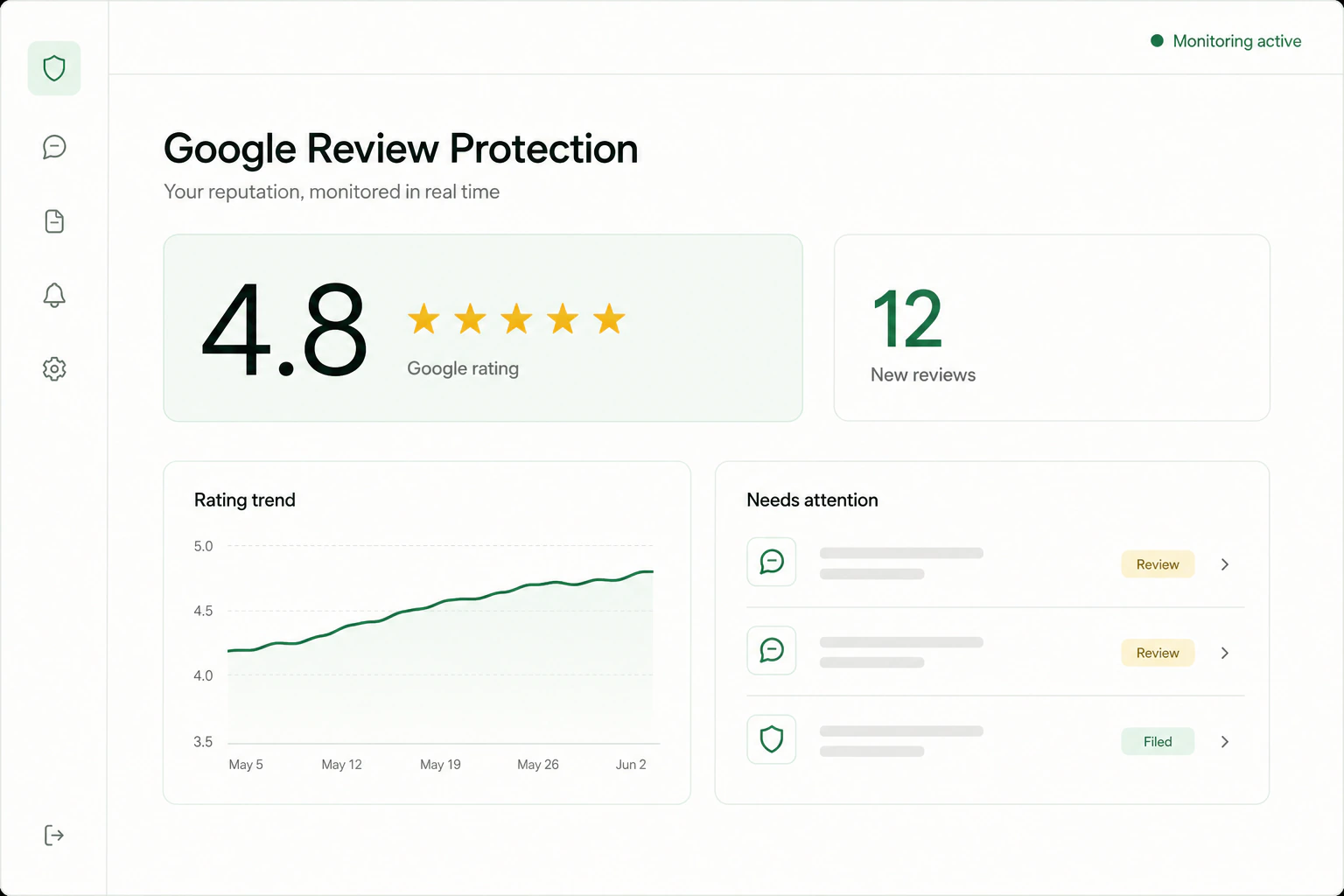
See every filing in one place.
The TrustOS portal shows each review the Auto-filer filed, on every listing, as Waiting to be sent, Being worked on, Removed, Could not be removed or Stopped.
Open the portalYou stay in control.
A monthly limit you set
Choose 1 to 30 paid removals a month in Removals settings. The limit is shared across your listings, with no fixed number per listing. Removal credits you hold are used first.
At the limit, it files nothing and tells you
If no credit or paid slot is free, the Auto-filer files nothing and emails you. It keeps reading your listings until a slot is free again, usually in the next calendar month, or until you raise the limit.
Off at once
Turn it off in Removals settings, or ask your account manager. Filing stops at once and open filings are withdrawn. A removal that lands after that is never charged.
It files every new bad review. You pay for the ones that come down.
Reading your listings is not charged. Each removal is paid with a credit first, then at your removal price, and never beyond the monthly limit you chose. If Google restores a removed review, we file it again at no charge.
Review Auto-filer questions
How does the Review Auto-filer work?
It reads covered Google listings about every 6 to 7 hours and files each new 1 or 2 star review from the last 14 days. You pay for the ones that come down.
How does the Review Auto-filer work?Can I limit what the Review Auto-filer files?
Yes. You set a monthly limit of 1 to 30 paid removals shared across your listings, your credits are used first, and you can turn it off at any time.
Can I limit what the Review Auto-filer files?Why does it only file reviews from the last 14 days?
Newer reviews are easier to get removed than old ones, so the Auto-filer files a review while it is new. A held review that is still inside the 14 days can be filed once a slot is free. You can choose older reviews yourself on the Reviews page of the TrustOS portal.
Does it file reviews already on my listing when I turn it on?
Yes, if they are rated 2 stars or below and were published in the last 14 days. Older reviews on the listing are not filed automatically.
Will it file honest reviews?
It files every new review of 2 stars or below on the listings it covers, without judging it first. Google decides on each one under its Maps user-generated content policy. A review that does not break that policy usually stays up.
How is it different from review monitoring?
Review monitoring reads each profile about once a day and emails you about new 1 and 2 star reviews; nothing is filed unless you reply. The Auto-filer reads covered listings about every 6 to 7 hours and files new ones without waiting for you.
Send us the review that is hurting you.
Paste the link to your Google profile, or to the review or post, and we will tell you how to get started.
Send us the linkAsk a question or paste a link. We reply Monday to Friday, 9am to 5pm ET.
💬 Open the chat